
Technology has changed the way schools, offices, shops, meeting rooms, and public spaces communicate. A classroom can now use touch displays instead of a traditional board, while a business can use digital screens to share information, promote products, or connect remote teams.
Choosing the right display is not only about screen size or resolution. The best option depends on where the display will be used, what people need to do with it, and how often it will be used. This guide explains some of the most useful display and collaboration solutions for modern spaces.
What Is an Interactive Flat Panel Display?
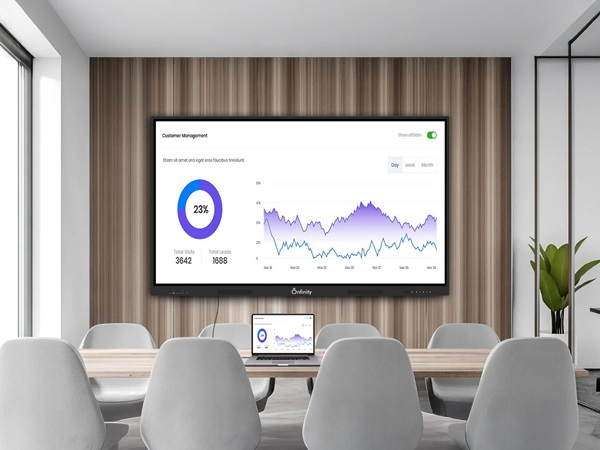
An interactive flat panel display is a large touchscreen that lets users work directly on the screen. Teachers can write on lessons, presenters can mark up documents, and teams can share ideas during meetings without depending on several separate devices.
These displays can support presentations, videos, documents, websites, digital lessons, and other visual content. Features such as touch input, wireless sharing, HDMI, USB, and built-in speakers can make everyday use more convenient, depending on the model.
Why Use a Smart Board for Classroom Learning?
A smart board for classroom use can make lessons easier to explain and more engaging for students. Teachers can display diagrams, videos, presentations, online resources, and notes on one screen. They can also write or highlight important points while teaching.
The biggest benefit is flexibility. A teacher can move from a presentation to a video, then to an activity or discussion without changing the main display. When choosing a smart board, schools should look at screen size, touch response, resolution, connectivity, software support, and ease of use.
Benefits of an Interactive Flat Panel for Classroom Use
An interactive flat panel for classroom environments can support a more active style of learning. Instead of students only watching a screen, teachers can involve them through touch-based activities, annotations, visual examples, and digital content.
It can also help reduce the need for multiple classroom devices. A teacher may be able to connect a laptop, share content wirelessly, or use built-in tools from the display itself. The exact features depend on the product and software setup.
Choosing the Right Digital Board for Classroom Use
When selecting a digital board for classroom use, schools should consider the complete classroom setup rather than focusing on one specification. Screen size, brightness, resolution, touch technology, viewing angle, audio, connectivity, software compatibility, installation, and after-sales support are all important.
Room size also matters. A screen that works well in a small classroom may not be suitable for a larger lecture room. The seating layout and viewing distance should be considered before making a purchase.
Where a 4K Smart TV Can Be Useful
A 4K smart TV can be a practical choice for offices, reception areas, training rooms, hotels, showrooms, and other commercial spaces where clear visual content is important. The higher resolution can make images, videos, presentations, and other detailed content look sharper when the source supports 4K.
Before choosing a screen, consider its size, brightness, connectivity, operating platform, mounting requirements, viewing distance, and expected usage. For business environments, it is also important to check whether the display is suitable for the planned hours of operation.
Using a Video Conferencing Camera for Better Meetings
Hybrid meetings have become a normal part of modern work. A good video conferencing camera can make communication easier by keeping remote participants clearly visible.
When choosing a camera, look at the field of view, image quality, microphone compatibility, low-light performance, mounting options, and compatibility with the video meeting platform your organization uses. Smaller rooms may need a simple camera, while larger conference rooms may require a wider view and more advanced features.
Digital Signage Solutions for Businesses and Public Spaces
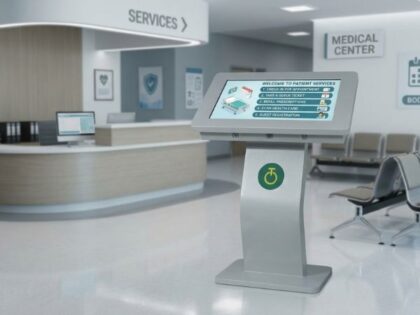
Digital signage solutions help businesses and organizations display information on screens that can be updated when needed. They are commonly used for menus, promotions, announcements, directions, schedules, visitor information, and internal communication.
A successful signage setup involves more than installing a screen. Screen location, brightness, content, connectivity, content management, and maintenance should all be planned together. Clear and regularly updated content also makes digital signage more useful to viewers.
Outdoor LED vs. Indoor LED
Outdoor LED displays are designed for locations where high brightness and protection from outdoor conditions are important. They can be used for advertising, public information, events, building displays, and large-format communication. Outdoor installations should be planned around viewing distance, sunlight, weather conditions, structure, and maintenance access.
Indoor LED displays are designed for controlled indoor spaces such as retail stores, showrooms, auditoriums, reception areas, conference venues, and entertainment locations. They can create large, seamless visual surfaces where a standard screen may not provide enough size or impact.
How LED Signage Can Improve Visual Communication
LED signage gives businesses the ability to change messages and visuals without replacing physical signs. This can be useful for promotions, announcements, event information, branding, and other messages that need regular updates.
The right LED display depends on factors such as screen size, pixel pitch, brightness, viewing distance, installation location, content type, and maintenance requirements. A display should be selected according to the environment rather than based on specifications alone.
How to Choose the Right Display Solution
Start with the purpose of the display and the people who will use or view it. Different spaces have different needs.
- Classrooms: Interactive displays, smart boards, and digital boards can support teaching, presentations, and student participation.
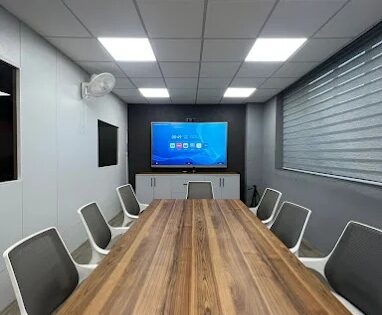
- Meeting rooms: A professional display combined with a suitable video conferencing camera can support both in-person and remote participants.
- Offices and reception areas: 4K displays and digital signage can be used for information, communication, and branding.
- Retail and indoor venues: Indoor LED can provide a large and eye-catching visual surface.
- Outdoor locations: Outdoor LED can deliver bright content where visibility and environmental protection are important.
Why Choose the Right Technology for Your Space?
The right display solution can make communication simpler and create a better experience for the people using the space. Schools may need interactive tools for teaching, offices may need reliable collaboration equipment, and businesses may need digital screens that can keep information fresh.
Onfinity Technologies Pvt. Ltd. provides display, collaboration, digital signage, and LED solutions for educational, corporate, commercial, and institutional environments. By looking at the room, purpose, audience, and long-term requirements first, organizations can choose technology that is practical, easy to use, and suited to everyday needs.
Frequently Asked Questions
What is an interactive flat panel display?
It is a large touchscreen display designed for teaching, presentations, collaboration, and interactive visual communication.
Is an interactive display useful for classrooms?
Yes. It can help teachers present videos, diagrams, lessons, websites, and documents while allowing them to write or interact directly with the content.
What is the difference between indoor LED and outdoor LED?
Outdoor LED is designed for brighter environments and outdoor conditions, while indoor LED is intended for controlled indoor spaces.
What should I consider before buying digital signage?
Consider the location, screen type, brightness, content needs, connectivity, content management, installation, operating conditions, and maintenance requirements.