
If you are planning to buy an interactive flat panel display in India, you may notice that prices can vary quite a lot between different models and suppliers. At first, this can be confusing. Two displays may look similar, yet their quotations can be different.
The reason is simple: an interactive flat panel is not priced only according to its screen size. Features such as display quality, touch technology, operating system, connectivity, built-in hardware, installation and support can all influence the final cost.
So, instead of looking for the cheapest panel, it makes more sense to understand what you are actually paying for.
Before comparing quotations, buyers can also review the interactive flat panel display buying guide to understand the main specifications and features to compare.
What Is an Interactive Flat Panel Display?
An interactive flat panel display is a large touchscreen designed for presentations, teaching, meetings, training and collaboration.
Unlike a conventional TV or monitor, users can interact directly with the screen. Depending on the model, they may be able to write, annotate documents, share content, access applications and connect other devices.
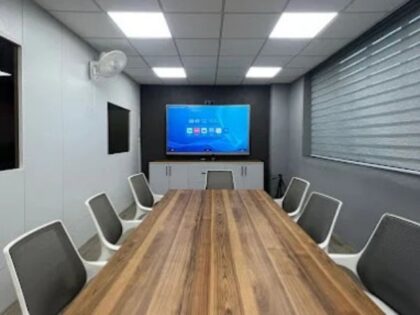
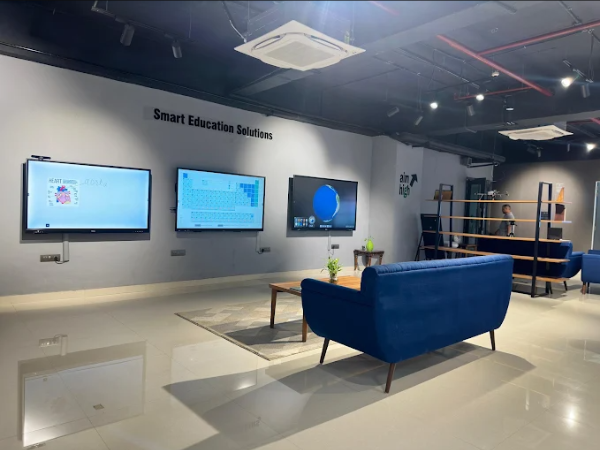
This makes an interactive flat panel display useful in classrooms, training rooms, meeting rooms, boardrooms and other professional environments. Buyers can review the available display solutions to understand how these panels are configured for different applications.
The important thing is to choose a configuration that fits the way the display will actually be used.
Why Do Interactive Flat Panel Display Prices Vary?
There is no single price for every interactive flat panel. Different models can have different hardware and features, so comparing only the final quotation can sometimes be misleading.
Here are the main factors that can affect the cost.
1. Screen Size
Screen size is one of the most obvious factors.
A smaller panel may work well in a compact meeting room, while a larger display may be more suitable for a classroom or training room where people are sitting farther away.
Common sizes can include 55, 65, 75, 86 inches and larger options.
However, choosing the biggest screen is not always the right decision. The room size, viewing distance and seating arrangement should be considered first.
A display that is too large for a small room can result in unnecessary spending, while a display that is too small may be difficult to see from the back of a larger room.
If you are unsure which size fits your room, the interactive flat panel display size guide can help you compare screen sizes based on viewing distance, classroom layout and room requirements.
2. Display Resolution
Resolution is another factor worth considering.
A 4K UHD display can provide clearer text, images, diagrams and videos than lower-resolution alternatives when the source content supports it.
This can be particularly useful in classrooms and professional environments where presentations contain small text, charts or detailed visuals.
However, resolution should be considered together with screen size and viewing distance rather than treated as the only measure of quality.
3. Touch Technology
Touch functionality is one of the main differences between an interactive flat panel and a standard display.
Different models can offer different levels of touch responsiveness and multi-touch capability.
For a classroom, this can matter when teachers and students need to write, draw, annotate or interact with content on the screen.
For collaborative environments, multi-touch can allow more than one person to work with the display.
When comparing quotations, check the actual touch specifications instead of assuming that every interactive panel provides the same experience.
4. Operating System and Computing Options
The internal computing setup can also affect the overall price.
Some interactive panels come with built-in operating systems and applications, while others may support an additional computer or optional computing module.
Before buying, check:
- Which operating system is included?
- Can an external computer be connected?
- Is an additional PC or OPS required?
- What applications can be used?
- Can the system receive software updates?
- Does it support the software your organisation already uses?
A configuration that suits a school may be different from one required by an office or training centre.
5. Connectivity
Connectivity is easy to overlook when comparing prices.
An interactive panel may need to connect with laptops, desktops, cameras, USB devices, networks and other equipment.
Depending on the model, available connections may include HDMI, USB, USB-C, LAN, Wi-Fi and audio connections.
For example, a classroom may need simple laptop connectivity and wireless screen sharing, while a meeting room may require connections for conferencing equipment and presentation devices.
It is better to check these requirements before purchasing than to discover later that additional equipment is needed.
6. Audio and Other Built-In Features
Built-in speakers can be useful for presentations, videos, online lessons and training sessions.
Other features may include:
- Wireless screen sharing
- Digital whiteboarding
- Annotation
- Built-in applications
- Screen recording
- Device connectivity
- Collaboration tools
The presence of additional features can influence the price, but that does not mean every buyer needs every feature.
The better approach is to identify the functions that will actually be used regularly.
Does a Higher-Priced Interactive Panel Mean It Is Better?
Not necessarily.
A higher quotation may reflect a larger screen, more advanced touch capabilities, additional computing options, better connectivity or other features.
But paying for features that your organisation will rarely use may not provide much practical value.
For example, a school may prioritise touch interaction, classroom software and durability, while a corporate meeting room may place more importance on connectivity and collaboration.
The right panel is therefore the one that matches the intended use, not simply the one with the highest specification or highest price.
How Should You Compare Two Interactive Panel Quotations?
When suppliers provide different quotations, avoid comparing only the final numbers.
Instead, compare what each quotation actually includes.
| Factor | What to Check |
|---|---|
| Screen size | Is the size suitable for the room? |
| Resolution | Is the display resolution appropriate? |
| Touch | What touch technology and capability are included? |
| Operating system | Which OS and built-in software are provided? |
| Connectivity | Are the required ports and wireless options available? |
| Audio | Are suitable built-in speakers included? |
| Accessories | Are mounting or other accessories included? |
| Installation | Is installation included in the quotation? |
| Warranty | What warranty coverage is provided? |
| Support | What technical assistance is available after installation? |
This makes it easier to compare like-for-like options.
What Should Schools Consider Before Buying?
Schools should look beyond the initial purchase price because the display may be used every day for several years.
Start with the classroom itself.
Consider:
- Classroom size
- Viewing distance
- Number of students
- Seating arrangement
- Teaching style
- Touch requirements
- Available connectivity
- Software requirements
- Installation
- Warranty and support
For example, a display suitable for a small classroom may not provide the same viewing experience in a large lecture room.
Schools should also consider how comfortable teachers are with the technology. A display can have many advanced functions, but those features are only useful when teachers can access and use them easily.
Schools that need a more detailed selection process can also refer to this guide on choosing the interactive flat panel for a classroom.
What Should You Ask an Interactive Display Supplier?
Before finalising a purchase, ask for a detailed specification and quotation.
Useful questions include:
- What exact model is being offered?
- What screen size and resolution does it have?
- What touch technology is used?
- Which operating system is included?
- What connectivity options are available?
- Are accessories included?
- Is installation included?
- What warranty is provided?
- Is technical support available?
- Are replacement parts available?
- Are there any additional costs?
Having these details in writing makes supplier comparisons much easier.
Is an Interactive Flat Panel Worth the Investment?
That depends on the environment and how the display will be used.
For schools, an interactive panel can support digital lessons, annotation, presentations and classroom activities.
For organisations comparing display technologies, it is also useful to understand the differences between an interactive flat panel display and a projector before deciding where the investment makes sense.
For businesses, it can be useful for presentations, brainstorming, training sessions and collaborative meetings.
The value comes from how effectively the display fits into the existing workflow.
If a buyer chooses a panel simply because it has the lowest price, important requirements may be overlooked. On the other hand, paying more for features that are not needed may also increase the budget unnecessarily.
The goal should be to find the right balance between specifications, usability, support and total cost.
Final Thoughts
The price of an interactive flat panel display depends on much more than the size of the screen.
Display quality, touch technology, software, connectivity, installation and after-sales support can all contribute to the final cost. This is why buyers should look beyond the initial quotation and compare what is actually included.
For schools, offices and other organisations, the best starting point is to define the room, users and intended purpose. Schools evaluating interactive classroom technology can also explore our guide on smart board for classroom learning to see how interactive displays can support everyday teaching. Once these requirements are clear, it becomes much easier to compare different panels and choose a configuration that fits the space and actual needs.
Onfinity Technologies Pvt. Ltd. offers interactive flat panel solutions for classrooms, meeting spaces, training environments and other professional applications. Buyers can discuss their requirements with the supplier and evaluate the available configuration according to their space, usage and technology needs.
Frequently Asked Questions
The price depends on the model and configuration. Screen size, resolution, touch technology, operating system, connectivity, accessories, installation and support can all influence the final quotation.
The major factors include screen size, display quality, touch technology, computing options, operating system, connectivity, audio, accessories, installation, warranty and technical support.
Screen size is an important pricing factor, but it is not the only one. Two panels of a similar size can have different prices because their specifications and features may differ.
Yes. Touch technology and multi-touch capability can affect the configuration and cost of an interactive panel. Buyers should compare touch performance rather than looking only at the number of supported touch points.
It depends on the complete setup. Instead of comparing only the purchase price, consider installation, interaction capabilities, accessories, maintenance and how the equipment will be used.
There is no single size that works for every classroom. Schools should consider room dimensions, viewing distance, seating arrangement and the number of students before selecting a display.
Ask about the exact model, screen size, resolution, touch technology, operating system, connectivity, accessories, installation, warranty and technical support. This allows you to compare quotations more accurately.