
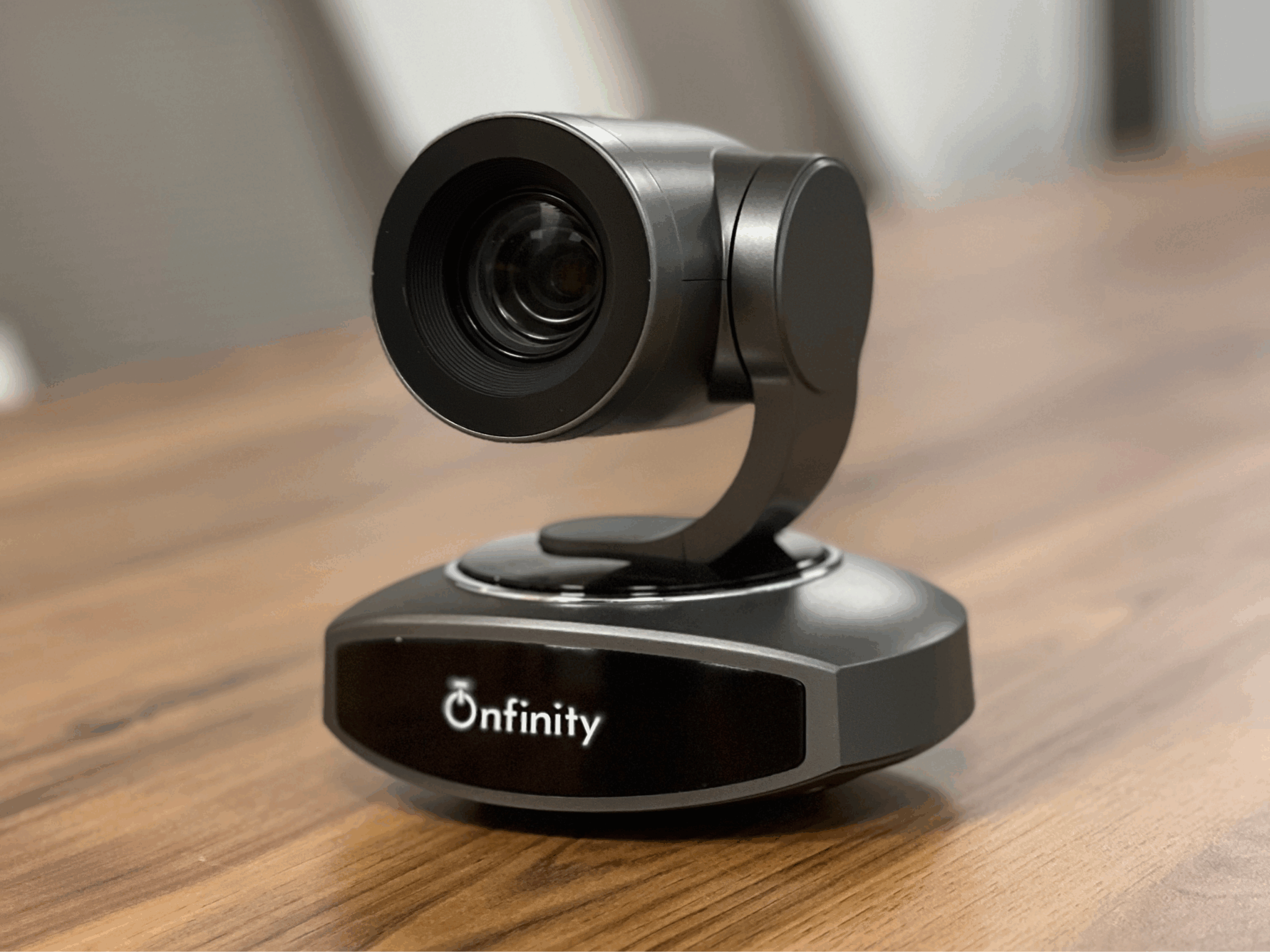
Choosing the right video conferencing camera is an important step when setting up a professional meeting room. A suitable camera can help remote participants see everyone clearly, follow discussions, and stay engaged throughout a meeting.
However, every meeting room has different requirements. A small huddle room does not need the same camera setup as a large boardroom. The number of participants, room size, seating arrangement, lighting, camera coverage, and meeting requirements should all be considered before making a purchase.
So, how do you choose the right video conferencing camera? Start by understanding your meeting room and then compare the features that matter most for your setup.
Why Does the Right Video Conferencing Camera Matter?
In a hybrid meeting, people in the room and remote participants need to communicate naturally. A camera with poor coverage or unclear video can make it difficult for remote attendees to follow the conversation.
A suitable camera can help provide:
- Clear video for remote participants
- Better visibility across the meeting room
- Wider coverage for group discussions
- Easier communication during presentations
- More natural hybrid meetings
- A cleaner and more professional meeting experience
Onfinity Technologies’s video conferencing solutions are designed for different environments, including boardrooms, classrooms, huddle rooms, and remote meeting spaces.
1. Consider the Size of Your Meeting Room
Room size should be one of the first things you evaluate.
A small meeting room with a few participants may work well with a wide-angle or huddle-room camera. A medium or large conference room may require greater coverage, stronger zoom capabilities, or a PTZ camera.
Before choosing a camera, consider:
- How many people usually attend meetings?
- How far are participants from the camera?
- What is the shape of the meeting table?
- Does everyone need to appear in one frame?
- Will the camera also need to capture a presenter?
Understanding these requirements can help you avoid buying a camera that is either too limited or unnecessarily advanced for your room.
2. Choose the Right Resolution
Camera resolution determines how much detail can be captured in the video.
Full HD can provide clear video for many business meetings, while 4K or UHD cameras can provide additional image detail where it is useful.
Higher resolution can be beneficial when meetings involve:
- Presentations
- Product demonstrations
- Whiteboards
- Detailed visual content
- Larger displays
- Participants sitting farther from the camera
However, choosing the highest resolution available is not always necessary. The right resolution depends on the room, meeting requirements, display, connection, and overall conferencing setup.
Onfinity Technologies Pvt. Ltd. offers both Full HD and 4K/UHD camera options, allowing businesses to consider different requirements when planning their meeting spaces.
3. Check the Field of View
Field of view, or FOV, determines how much of the room the camera can capture.
A wide-angle camera can be useful when several people need to appear on screen from a relatively short distance. In a larger room, the camera may need a combination of suitable FOV, placement, and zoom to capture participants clearly.
Do not choose a camera based only on its advertised viewing angle. Think about how the camera will actually be positioned in your room.
For example, a wide-angle camera may work well for a compact meeting table, while a larger boardroom may require a more flexible camera with PTZ functionality.
4. Decide Whether You Need PTZ
PTZ stands for Pan, Tilt and Zoom.
- Pan moves the camera from side to side.
- Tilt moves the camera up and down.
- Zoom brings a person or area closer into view.
A fixed camera may be sufficient when participants always sit in approximately the same location.
A PTZ camera can be more useful when the room is larger, participants are spread across a wider area, or the camera needs to focus on different parts of the room.
Onfinity Technologies Pvt. Ltd. provides Full HD PTZ and 4K/UHD PTZ options as part of its video conferencing range.
5. Look at Auto-Framing Features
Auto-framing can make meetings easier to manage.
Instead of requiring someone to manually adjust the camera whenever participants enter, leave, or change positions, an auto-framing system can adjust the composition to keep the relevant participants within the frame.
This can be particularly useful in:
- Huddle rooms
- Conference rooms
- Training rooms
- Collaborative spaces
- Hybrid meeting environments
However, the exact operation of auto-framing can vary between camera models. Always check the specifications of the particular model rather than assuming that every conferencing camera offers the same intelligent features.
6. Consider Lighting Conditions
Good lighting plays an important role in video quality.
A high-resolution camera may still produce an unclear image if participants are sitting in very dark areas or directly in front of bright windows.
Before installing the camera, consider:
- Natural light from windows
- Strong light sources behind participants
- Uneven room lighting
- Changes in daylight
- Position of ceiling lights
Where possible, position the camera so participants are properly illuminated. This can improve the quality of the image without requiring the camera to compensate for difficult lighting conditions.
7. Don’t Forget About Audio
A video conferencing camera is mainly responsible for capturing video, but audio is equally important in a meeting.
Some conferencing cameras include built-in microphones, while other meeting rooms may require separate microphones or audio equipment.
Your choice should depend on the room size and number of participants.
A small room may work well with an integrated camera and audio solution. A larger room may require additional microphones to ensure that people sitting farther away can be heard clearly.
Onfinity Technologies’s conferencing range includes solutions with built-in microphones and noise-reduction capabilities, depending on the product.
8. Check Connectivity and Compatibility
Before purchasing a camera, check how it will connect to your existing meeting setup.
Important points include:
- USB connectivity
- HDMI connectivity where applicable
- Power requirements
- Compatibility with your meeting equipment
- Available control options
- Software or configuration requirements
A camera may have excellent specifications, but it still needs to integrate properly with the rest of the room.
Onfinity Technologies ‘s video conferencing solutions include USB and HDMI connectivity options, helping businesses integrate conferencing cameras into different AV environments.
9. Think About Camera Placement
The position of your camera can affect the overall meeting experience.
For most conference rooms, the camera should provide a clear and natural view of the participants. It should not be blocked by displays, furniture, or other equipment.
Depending on the room, the camera may be installed:
- Above or below a display
- On a wall
- On a table
- Using a suitable mounting system
Before installation, check the camera’s distance from participants and make sure its viewing area matches the seating arrangement.
If you are planning a complete hybrid meeting environment, you can also read Onfinity Technologies Pvt. Ltd.’s guide on how to build an efficient hybrid meeting room setup for additional planning considerations.
10. Plan for Future Requirements
Your meeting room requirements may change over time.
Your organization may add more employees, increase hybrid meetings, change the furniture layout, or start using the room for presentations and training sessions.
Consider whether you may need:
- Wider coverage
- Better zoom
- PTZ functionality
- Auto-framing
- Additional microphones
- Higher video resolution
- Integration with other AV equipment
Choosing a camera based only on today’s requirements could mean replacing it sooner than expected. A little planning can help you select a solution that remains useful as your meeting needs grow.
Quick Checklist Before Buying a Video Conferencing Camera
Before making a purchase, ask:
How large is the room?
Choose coverage according to the actual meeting space.
How many people normally attend?
Participant count affects camera coverage and audio requirements.
What field of view do you need?
Make sure everyone can be captured without making the image unnecessarily wide.
Do you need PTZ?
Consider PTZ when the camera needs to cover different areas or participants.
Is auto-framing useful?
It can help maintain suitable framing when participant positions change.
What resolution is appropriate?
Choose Full HD, 4K, or another option according to the actual use case.
How is the room lit?
Check whether the camera can produce suitable video in your lighting conditions.
What audio equipment is required?
Small rooms and larger meeting spaces may need different audio arrangements.
How will the camera connect?
Check USB, HDMI, power, and other connectivity requirements before installation.
Final Thoughts
Choosing the right video conferencing camera starts with understanding your meeting room rather than simply comparing specifications.
Room size, participant count, field of view, resolution, PTZ capabilities, auto-framing, lighting, audio, connectivity, and installation should all be considered before making a decision.
Onfinity Technologies Pvt. Ltd. offers a range of video conferencing products designed for different meeting environments, including Full HD, 4K/UHD, PTZ, fixed-lens, wide-angle, and huddle-room camera solutions.
By matching the camera to the actual needs of your room, you can create a more reliable and comfortable environment for both in-room and remote participants.
Frequently Asked Questions
Start with room size, participant count, field of view, resolution, camera movement, auto-framing, lighting, audio requirements, connectivity, and installation.
Not always. Full HD can be suitable for many business meetings. 4K or UHD can be useful when greater image detail is required, particularly for larger displays and detailed visual content.
It depends on the room. Wide-angle cameras can be useful when multiple participants need to be captured from a relatively short distance. Larger rooms may require additional flexibility such as PTZ and zoom.
Not necessarily. A fixed or wide-angle camera may be sufficient for a small room with a consistent seating arrangement. PTZ becomes more useful when you need to adjust the camera direction or zoom.
Yes. Clear audio is essential for productive meetings. Check whether the camera has built-in microphones and whether its audio coverage is suitable for the size of your room.