
If you are searching for a smart board price in India, you may notice that different suppliers quote very different amounts for what appear to be similar products. That can make it difficult to know whether you are comparing the right options.
The reason is that a smart board is not priced only by its screen size. Display quality, touch technology, operating system, connectivity, built-in features, installation and after-sales support can all affect the final quotation.
For schools, training centres, offices and other organisations, understanding these factors can make the buying process much easier.
What Is a Smart Board?
A smart board is an interactive digital display that allows users to work directly with content on the screen. Modern interactive displays can support writing, annotation, presentations, videos, screen sharing and other digital activities.
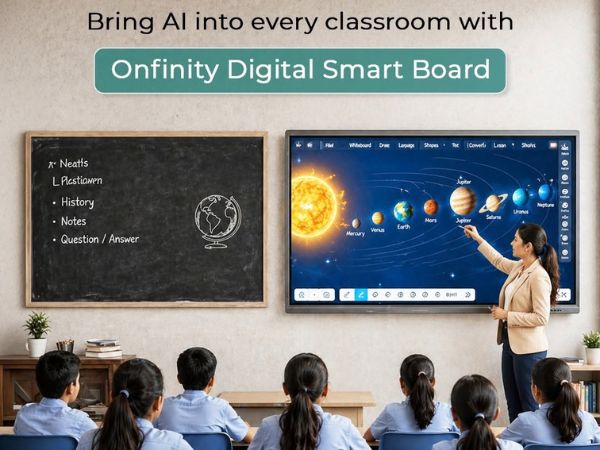
In classrooms, teachers can use an interactive display to explain concepts, show multimedia content and involve students in activities. In offices and training rooms, the same type of technology can be used for presentations, discussions and collaborative work.
The term ‘smart board’ is used broadly, so buyers should look beyond the name and check the actual specifications of the product they are considering.
For a broader understanding of how these displays work across education and professional environments, see our interactive flat panel display buying guide.
How Much Does a Smart Board Cost in India?
There is no single price that applies to every smart board.
The final cost depends on the model, size, features and configuration. For example, two displays with similar screen sizes may have different prices because one includes different touch technology, computing capabilities, connectivity options or additional software.
Instead of relying on a generic price range, buyers should compare complete quotations and understand exactly what each supplier is offering.
This is particularly important for schools and organisations purchasing multiple displays, where differences in configuration can have a significant effect on the overall project cost.
What Factors Affect Smart Board Price?
1. Screen Size
Screen size is one of the first things buyers usually compare.
A compact display may be suitable for a smaller meeting or teaching room, while larger screens can make content easier to see in bigger spaces.
However, choosing the largest screen available is not always the best approach.
Consider:
- Room dimensions
- Viewing distance
- Number of users
- Seating arrangement
- Type of content being displayed
A school classroom, training room and corporate boardroom may have completely different screen-size requirements.
The right size should be based on the space rather than the assumption that bigger automatically means better.
2. Display Resolution
Resolution affects how clearly text, images, diagrams and videos appear on the screen.
For educational and professional environments, a clear display can be particularly useful when presentations contain small text, detailed graphics or visual learning material.
Onfinity Technologies Pvt. Ltd.’s interactive flat panel range includes 4K display options, along with touch and collaboration features designed for classrooms, training rooms, conference halls and other professional environments.
However, resolution should not be considered in isolation. Screen size, viewing distance and the type of content being displayed also matter.
3. Touch Technology
Touch capability is one of the main features that makes an interactive display different from a standard screen.
Different models can offer different touch responsiveness and multi-touch capabilities.
For a classroom, teachers may need to write, draw, highlight or manipulate digital content. In collaborative environments, several users may need to interact with the display during a discussion or activity.
When comparing smart board quotations, ask about the actual touch technology rather than assuming that every model provides the same experience.
4. Operating System and Computing
The internal computing setup can also influence the overall cost.
Some interactive displays provide built-in computing and software, while other setups may require an external computer or optional computing hardware.
Before purchasing, check:
- Which operating system is included?
- Is built-in computing available?
- Can an external computer be connected?
- What software is supported?
- Can applications be installed or updated?
- Will the system work with existing devices?
These questions are particularly important for schools and organisations that already use specific software or digital learning platforms.
5. Connectivity
Connectivity is another factor that should not be overlooked.
A smart board may need to connect with laptops, desktops, USB devices, networks, cameras and other equipment.
Depending on the model, buyers may need options such as HDMI, USB, LAN, Wi-Fi, Bluetooth or other connections.
For example, a teacher may want to connect a laptop and share content on the classroom display. A business may need to connect the display with a video conferencing setup.
The right connectivity depends on how the display will be used.
6. Built-In Audio and Other Features
Some interactive displays include built-in speakers and other features that can make them more convenient for everyday use.
Depending on the model, additional functions may include:
- Digital whiteboarding
- Screen sharing
- Annotation
- Wireless connectivity
- Multimedia playback
- Built-in applications
- Device integration
These features can influence the overall configuration and cost.
The important thing is not to pay for features simply because they are available. Consider which functions teachers, employees or other users will actually need.
Does a More Expensive Smart Board Mean Better Quality?
Not necessarily.
A higher-priced model may offer a larger display, different touch technology, additional computing capabilities or more connectivity options.
But a more expensive configuration is not automatically the right choice for every organisation.
For instance, a small classroom may have different requirements from a large training room. A business that mainly uses the display for presentations may have different needs from a school that uses it throughout the teaching day.
The better approach is to start with the intended use and then select the specifications that support it.
Smart Board vs Interactive Flat Panel: Are They the Same?
The terms can sometimes be used interchangeably, but buyers should not assume that every product described as a smart board has the same technology.
Modern interactive flat panel displays combine a large digital screen with touch interaction and computing or connected-device capabilities. You can explore the available interactive flat panel models to compare their features and applications.
They can support teaching, presentations, collaboration and digital content.
Onfinity Technologies Pvt. Ltd. offers interactive flat panel displays designed for applications including smart classrooms, training rooms, conference halls, boardrooms and huddle rooms.
Therefore, when comparing products, focus on the actual specifications and intended use rather than the product label alone.
How to Compare Smart Board Quotations
When you receive quotations from different suppliers, do not compare only the final price.
Create a simple comparison based on the complete configuration.
| Factor | What to Compare |
|---|---|
| Screen size | Is it suitable for the room? |
| Resolution | Is the image quality appropriate? |
| Touch | What touch capabilities are included? |
| Operating system | Which OS and software are provided? |
| Computing | Is built-in or optional computing available? |
| Connectivity | Are the required ports and wireless options included? |
| Audio | Are suitable speakers included? |
| Accessories | What comes with the display? |
| Installation | Is installation included? |
| Warranty | What coverage is provided? |
| Support | What after-sales assistance is available? |
This approach makes it easier to compare like-for-like options.
What Should Schools Check Before Buying?
Schools should consider more than the initial smart board price.
Start by looking at the classroom itself. Room size, viewing distance and seating layout can help determine the appropriate screen size.
Schools can also review our guide on how to choose the right interactive flat panel for a classroom for a more detailed checklist of classroom-specific requirements.
Then consider the teachers who will use the technology.
A useful classroom display should be practical for everyday teaching. Touch response, screen visibility, connectivity, software compatibility and ease of operation can all influence the user experience.
For help with choosing the appropriate display size, see the interactive flat panel display size guide.
Schools should also ask about installation, warranty and technical support. These details can become important after the display has been installed and is being used regularly.
Onfinity’s classroom-selection guidance similarly recommends considering classroom size, viewing distance, touch response, brightness, connectivity, software, durability, installation and long-term support when selecting an interactive panel.
What Should You Ask a Smart Board Supplier?
Before placing an order, ask the supplier to provide a detailed specification and quotation.
Some useful questions are:
- What is the exact model?
- What screen sizes are available?
- What resolution does the display offer?
- What touch technology is used?
- Which operating system is included?
- What connectivity options are available?
- Are accessories included?
- Is installation included?
- What warranty is provided?
- What technical support is available?
- Are there additional costs after installation?
Having these details clearly mentioned in the quotation can prevent confusion when comparing suppliers.
Is a Smart Board Worth the Investment?
That depends on the way it will be used.
For schools, an interactive display can support digital lessons, visual explanations, annotation, multimedia content and student participation.
To understand how these displays can support everyday teaching, explore our guide on smart board for classroom learning.
For businesses and training organisations, it can support presentations, meetings, brainstorming and collaborative sessions.
The value of the technology comes from how well it fits the users and the environment.
A low-cost display may not always be suitable if important requirements are missing. At the same time, paying extra for features that will rarely be used may not make practical sense.
The goal should be to find the right balance between features, usability, support and overall cost.
Final Thoughts
The price of a smart board in India depends on much more than screen size.
Display resolution, touch technology, operating system, computing capabilities, connectivity, audio, accessories, installation and after-sales support can all affect the final quotation.
That is why buyers should compare the complete specification instead of choosing a product based only on the lowest price.
For schools, offices, training centres and other organisations, the best starting point is to identify how the display will be used, where it will be installed and what users actually need.
Onfinity Technologies Pvt. Ltd. provides interactive display solutions for education and professional environments, including smart classrooms, training rooms and meeting spaces.
A well-planned purchase is not simply about finding a cheaper smart board. It is about choosing a display that provides the right features and support for the job.
Frequently Asked Questions
There is no fixed price for every smart board. The final quotation depends on factors such as screen size, resolution, touch technology, operating system, computing options, connectivity, accessories, installation and support.
Several factors can affect the cost, including screen size, display resolution, touch technology, built-in computing, connectivity, software and the services included with the purchase.
The terms are often used in similar contexts, but products can differ considerably. Buyers should compare the actual display, touch, computing, connectivity and software specifications rather than relying only on the product name.
There is no single size that works for every classroom. Schools should consider the room dimensions, viewing distance, seating arrangement and number of students before selecting a display.
Not necessarily. Schools should choose a configuration based on their classroom requirements, teaching methods, software needs, connectivity and long-term support rather than price alone.
Check the screen size, resolution, touch capability, operating system, connectivity, audio, software compatibility, accessories, installation, warranty and after-sales support.
Yes. Interactive displays can also be used in meeting rooms, boardrooms, training rooms and collaborative workspaces. The appropriate configuration depends on the room and intended use.