
You’re staring at a wall of “smart TV” listings 4K, Google TV, Android TV, QLED, UHD and half the specs sheets read like they were written to confuse you, not help you. Meanwhile, the TV you pick isn’t just for movie nights anymore. It might run your client presentations, greet visitors in your office lobby, or double as your family’s streaming hub, work screen, and weekend gaming display all in one.
Buy the wrong one and you’ll find out three months in — when the picture washes out under office lights, the apps lag, or screen mirroring simply refuses to work with your laptop.
This guide breaks down exactly what a 4K Smart TV with Google TV actually offers, how it’s different from a generic “smart TV,” and how to pick the right one whether you’re setting up a living room, a meeting room, or a business lobby.
A 4K Smart TV with Google TV combines Ultra HD (3840×2160) picture quality with Google’s content-and-app interface built on Android TV. It organizes streaming apps, live TV, and recommendations into one screen, supports voice search via Google Assistant, and now includes Gemini AI features for richer, more visual answers. It suits homes, offices, and businesses that want sharp visuals plus an easy, unified way to access content and apps.
What Is a 4K Smart TV with Google TV?
Let’s separate the two parts, because they solve different problems.
4K refers to resolution — 3840×2160 pixels, roughly four times the detail of standard Full HD (1920×1080). On a large screen, or when you’re sitting close (like in a meeting room), that extra detail is the difference between a sharp presentation and a blurry one.
Google TV is the software layer — the interface you actually interact with. It runs on top of Android TV and pulls together your streaming subscriptions, live channels, and apps into a single home screen, rather than making you hop between apps to find something to watch. It also brings:
- Google Assistant voice search — find content by speaking instead of typing
- Personalized recommendations across apps like Netflix, Prime Video, and YouTube
- Profiles for different users or household members
- Google Home integration for smart-home control from the same screen
- Gemini AI features (rolling out through 2026) — richer, more visual answers to questions, “Deep dives” for topics, and smarter photo/content search
So a “4K Smart TV with Google TV” is really: sharp picture quality + an interface that makes content and apps genuinely easy to find and use.
Google TV vs. Regular Smart TV — What’s the Real Difference?
Not every “smart TV” runs the same software, and this is where a lot of buyers get confused.
| Feature | Google TV | Basic/Generic Smart TV OS |
|---|---|---|
| App ecosystem | Full Google Play Store access, thousands of apps | Often a limited, brand-specific app store |
| Recommendations | Personalized across all your apps | Usually app-by-app only, no cross-app suggestions |
| Voice search | Built-in Google Assistant | Basic or no voice search |
| Screen mirroring | Native Chromecast built in | Varies by brand, often unreliable |
| Smart home control | Integrates with Google Home | Rarely supported |
| Software updates | Regular updates from Google | Depends entirely on the TV brand |
The practical takeaway: Google TV gives you a consistent, well-supported experience regardless of which TV brand you buy, because Google not the manufacturer maintains the software. That matters more than people expect once a TV is a year or two old.
Why 4K Smart TVs with Google TV Work Across Different Spaces
For the Home
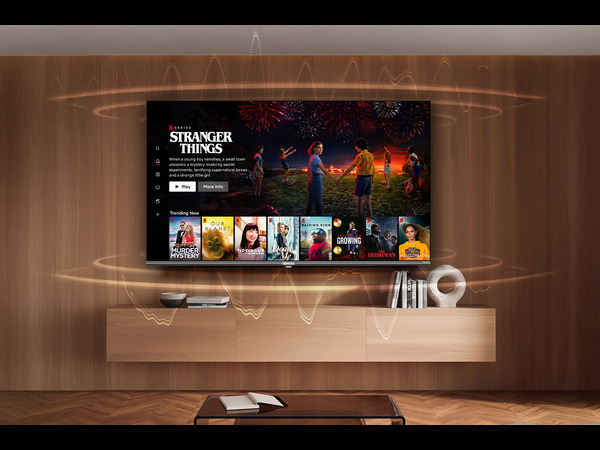
This is the obvious use case sharper picture for movies and shows, one interface across every streaming app you subscribe to, and voice search so you’re not typing show names with a remote. Profiles mean each family member gets their own recommendations and watchlist instead of one confused algorithm trying to please everyone.
For the Office & Meeting Rooms
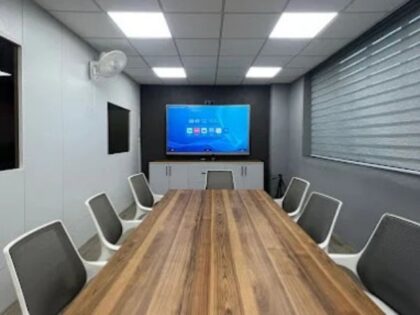
A 4K Smart TV with Google TV isn’t just for entertainment in a workplace it’s increasingly used as a meeting room display or presentation screen. Screen mirroring (via built-in Chromecast) lets anyone walk in and cast their laptop screen without hunting for the right HDMI cable. Sharp 4K resolution matters more here than at home, because viewers are often reading text-heavy slides or spreadsheets from across a room.
If your room needs people to write, annotate, or collaborate directly on the screen rather than just view it, a standard smart TV won’t cover that that’s where an interactive flat panel display becomes the better fit instead.
For Business & Reception Areas
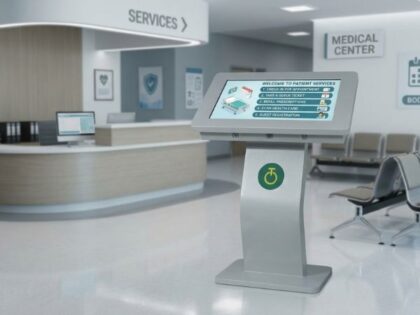
In lobbies, retail spaces, or waiting areas, a 4K Smart TV with Google TV can run branded content, welcome messages, or informational displays alongside standard entertainment apps — without needing separate digital signage hardware for simpler use cases. The catch: general consumer TVs aren’t built for the longer daily run-times or environmental stress (dust, power fluctuations, constant use) that commercial spaces put them through, which is where purpose-built commercial displays start to matter more than a retail TV.
Key Features to Look for When Buying
- Resolution: 4K (3840×2160) minimum — don’t settle for Full HD if the screen is over 40 inches
- HDR support: Improves contrast and color range, especially noticeable on newer content
- Refresh rate: 60Hz is standard; 120Hz matters mainly for gaming, less so for office/business use
- Ports: At least 3 HDMI ports if you’ll be connecting a laptop, set-top box, and soundbar simultaneously
- Built-in Chromecast: Confirms native screen mirroring without extra dongles
- Voice remote: Genuinely saves time over on-screen typing
- Peak brightness: Matters far more in offices and lobbies with ambient light than it does in a dim living room
- Build durability: For commercial/business settings, check for ratings suited to continuous daily use, not just consumer-grade specs
Step-by-Step: How to Choose the Right Size and Model
- Measure your viewing distance. As a rough rule, divide the distance (in inches) by 1.5 to get a suitable screen size — a room with 10 feet (120 inches) of viewing distance suits roughly an 75–80 inch screen for comfortable, distortion-free viewing.
- Match the use case to the space. A living room prioritizes HDR and picture quality; a meeting room prioritizes brightness and screen-mirroring reliability; a lobby prioritizes durability and always-on performance.
- Check the port count against your actual devices. Count what you’ll realistically plug in — laptop, streaming box, soundbar — and buy a model with headroom, not just enough.
- Confirm software support. Ask how long the manufacturer commits to software updates, since Google TV’s advantage (consistent updates) is only as good as the manufacturer honoring it.
- For office or business use, ask about warranty and support terms specifically for commercial deployment — consumer warranties often exclude extended daily-use scenarios.
Buying for Business? Here’s What Changes
If you’re outfitting an office, training room, or retail space rather than a living room, a few things move up the priority list that most home buying guides skip entirely:
- Duty cycle — can the display run 8+ hours a day, every day, without performance degrading?
- Environmental resilience — voltage fluctuations and dust are real issues in many commercial environments, and consumer TVs aren’t tested against them the way commercial-grade displays are
- Centralized support — a single point of contact for installation, troubleshooting, and replacement across multiple units, rather than per-store-purchase warranties
- Bulk deployment — buying five or fifty units through a business AV partner is a very different process (and support relationship) than five individual retail purchases
This is exactly the gap that purpose-built commercial 4K displays with Google TV are designed to close — same familiar Google TV interface your team already knows, but hardware rated for continuous, everyday commercial use.
Common Mistakes to Avoid
- Buying by screen size alone — a bigger screen with poor brightness looks worse in a lit office than a smaller, brighter one
- Ignoring peak brightness for well-lit rooms — a TV that looks great in a showroom can wash out completely under office lighting
- Assuming all “Google TV” models behave identically — processor speed and RAM still vary by brand and affect how smoothly the interface runs
- Skipping the warranty fine print for commercial use — many consumer warranties are void for “commercial” or “extended daily use” deployment, which catches offices out after the fact
FAQs
Android TV is the underlying operating system; Google TV is the interface built on top of it. Think of Google TV as the redesigned “skin” — with unified recommendations, profiles, and a content-first home screen — running on the Android TV foundation.
Yes, particularly for meeting rooms and presentation screens — built-in Chromecast makes screen mirroring simple, and 4K resolution keeps text and slides sharp. For heavy daily use, look for a commercial-grade model rather than a standard consumer TV.
It depends on room length, but as a general guide, divide the viewing distance in inches by roughly 1.5 to estimate a comfortable screen size — most mid-sized meeting rooms suit something in the 65–98 inch range.
Yes. Google TV has Chromecast built in natively, so most laptops and phones can mirror their screen without extra hardware, though exact compatibility depends on your laptop’s operating system.
It can, for lighter use, but consumer TVs generally aren’t built for the extended daily run-times or environmental durability commercial spaces demand — purpose-built commercial displays are the better long-term choice for that.
Google TV receives regular platform updates directly from Google, though the exact frequency and feature rollout can vary slightly by TV manufacturer and model.
For screens over roughly 40 inches, or any room where viewers sit within 8–10 feet, 4K makes a visible difference — especially for text-heavy content like spreadsheets and slides.
Ready to Upgrade Your Space?
Whether you’re setting up a meeting room, a reception area, or a business space that needs a display running reliably every single day, the right 4K Smart TV with Google TV makes the difference between a screen that just works and one you’re troubleshooting every other week. Explore Onfinity’s 4K Smart TVs with Google TV built for Indian offices and businesses, with 24×7 support included. Get a free quote today